The Best Supergrow Alternatives in 2026 (Honest Comparison)
Outgrowing Supergrow's Starter tier? A fair look at 9 Supergrow alternatives for voice, safety, and price, so you pick the right LinkedIn writer.
By Tom Peciukaitis
The Best Supergrow Alternative in 2026: An Honest Comparison
Most people looking for a Supergrow alternative are not unhappy with Supergrow. That is the honest place to start.
You probably signed up on the $19 Starter plan, wrote a few posts, and it did the job. Then one of three things happened. You hit the ceiling on the cheap tier and realized the AI features you actually wanted sit higher up the pricing. You started thinking harder about account safety and wanted a tool built on an official LinkedIn connection, not something that behaves like a browser add-on. Or the AI output, while fine, never quite sounded like you, and you got tired of rewriting every draft to put your voice back in.
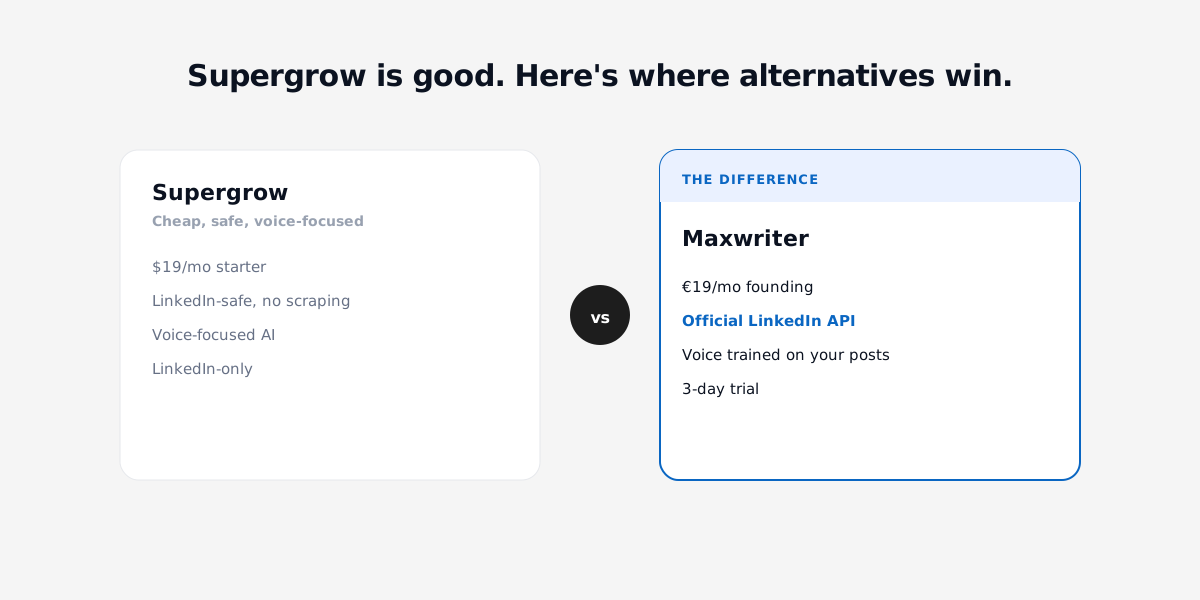
If any of those is you, this guide is for you. I run Maxwriter, so I have a horse in this race and I will flag that clearly whenever it matters. But the goal here is not to talk you off Supergrow. Supergrow is a good product, it is cheap, it is LinkedIn-safe, and for a lot of people it is the correct answer. This page is for the specific person who has outgrown it, and it lays out the real trade-offs across nine tools so you can pick the one that fits.
Five key takeaways
- Supergrow is genuinely good and cheap. If the Starter or Pro plan covers you and you have no safety or voice complaints, the best move is to stay. Switching for the sake of switching wastes money.
- The two reasons people actually leave are voice ("it doesn't sound like me") and how the AI features are priced across tiers, not the base $19.
- Safety is the underrated differentiator. Tools split into two camps: official LinkedIn API connections versus browser extensions and cookie-based access. After LinkedIn's 2025 automation crackdown, that distinction matters more than it used to.
- "AI writer" and "LinkedIn tool" are not the same category. Some popular picks (AuthoredUp, Taplio Starter) do formatting, scheduling, and analytics but give you little or no real AI writing on their entry plans.
- Match the tool to the job. Want a lead database? Taplio. Want carousels? MagicPost or Supergrow Pro. Want your real voice on an official API at a founder price? That is where Maxwriter fits, and I will be honest about its limits too.
How we evaluated these tools
Every tool below is scored against the five things that actually decide whether a LinkedIn writer is worth paying for.
Voice. Does the output sound like you, or like generic LinkedIn AI? A tool that trains on your own past posts will beat one that writes from a blank prompt, every time.
Safety. How does it connect to LinkedIn? An official API connection through OAuth is fundamentally safer than a Chrome extension that operates inside the LinkedIn interface or relies on your session cookie. This is not theoretical anymore.
Real AI price. Not the sticker price, the price of the plan where the AI writing actually lives. Several tools advertise a low entry tier that has no meaningful AI on it.
Focus vs bloat. A focused writer that does one thing well versus a suite with a lead database, team analytics, and a CRM you will never open. Neither is "better," but you should not pay suite prices for features you will not touch.
Trial. Can you try it before you commit, and does it demand a card up front?
Quick answer: Supergrow alternatives at a glance
| Tool | Best for | AI writing | LinkedIn connection | Entry price (real AI) | Trial |
|---|---|---|---|---|---|
| Supergrow (incumbent) | Cheap, safe, voice-focused LinkedIn writing | Yes (Pro tier for full features) | LinkedIn-safe, no scraping | $19 Starter / $29–39 Pro | 7-day, no card |
| Maxwriter | Solo founders who want their real voice on an official API | Yes, trained on your posts | Official LinkedIn API (OAuth) | €19/mo founding | 3-day, card |
| Taplio | Lead finding + biggest inspiration database | Yes, generic | Browser extension | $65 Standard | 7-day |
| MagicPost | Carousels and idea generation | Yes (Creator tier) | Official LinkedIn API partner | $39 Creator | Free, no card |
| Kleo | Voice + personal-brand knowledge base | Yes | App (post-shutdown V3) | $99/mo | None |
| AuthoredUp | Formatting, previews, analytics | No (AI hooks only) | Chrome extension | $19.95/mo | 14-day, no card |
| Typefully | Cross-posting to X and LinkedIn | Yes, light | Multi-platform | from $12.50/mo | Varies |
| EasyGen | Templates and hooks | Yes | LinkedIn AI writer | ~$59.99/mo | Varies |
| ChatGPT | DIY writers who want full control | Yes, generic | None (no publishing) | Free / $20 Plus | Free tier |
The incumbent: what Supergrow actually gets right
Before the alternatives, let me be fair to the thing you are thinking about leaving.
Supergrow is a LinkedIn-first content tool built around writing, scheduling, and growth. Its reputation is well earned on three points. It is cheap, starting at $19 a month. It is LinkedIn-safe, with no scraping and no shady automation. And it is voice-focused rather than generic, with features like voice-to-post on the higher tiers. For a solo creator who wants to post consistently without thinking about account risk, it is a very reasonable default.
Supergrow pricing
| Plan | Price | What you get |
|---|---|---|
| Starter | $19/mo | Core writing and scheduling |
| Pro | $29–39/mo | Carousels, voice-to-post, analytics |
| Agency | $49/mo | Multi-account, agency features |
It also offers a 7-day trial with no card required, which is genuinely user-friendly and rare in this space.
Where Supergrow wins
- Price. $19 is hard to argue with for what you get.
- Safety. It does not scrape or automate against LinkedIn's ToS.
- Focus. It is LinkedIn-only, so it is not spreading itself across five platforms.
- Voice orientation. The product cares about your voice more than most generic AI writers do.
Why people leave anyway
Two reasons, mostly. The first is tier friction: the AI and creator features people actually want (carousels, voice-to-post, analytics) live on the $29–39 Pro plan, not the $19 Starter, so the "$19 tool" ends up costing more once you use it seriously. The second is voice depth. Supergrow is voice-aware, but if you want output that is trained specifically on your own back catalog of posts, you may find yourself still editing drafts to sound like you.
If neither of those bothers you, stay on Supergrow. Seriously. The rest of this page is for the people those two things bother.
Tool-by-tool: the best Supergrow alternatives
1. Maxwriter — your real voice, on the official LinkedIn API
I build Maxwriter, so read this section with that in mind. I am going to give you the honest version, including where it falls short.
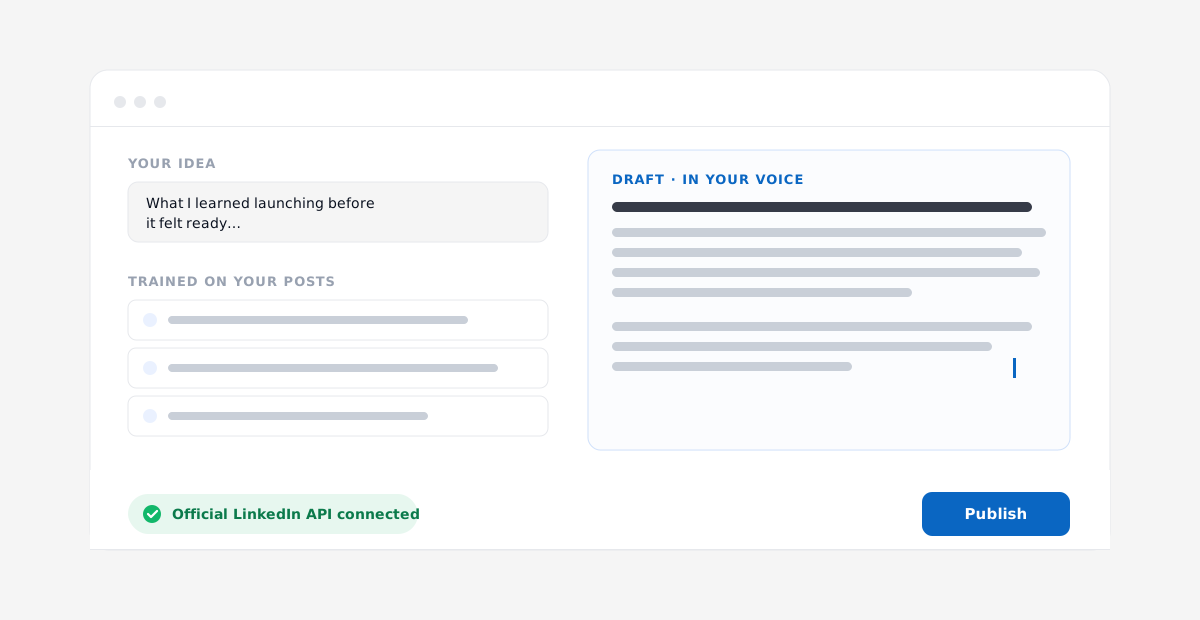
Maxwriter is a focused LinkedIn writer built around two ideas. First, it connects through the official LinkedIn API using OAuth. There is no browser extension, no cookie scraping, and no operating inside the LinkedIn interface. It authenticates the way LinkedIn intends and posts directly. Second, its voice-matching is trained on your own past posts, so the drafts start closer to how you actually write instead of from a generic template.
Where it wins. Safety and voice, specifically. If your two reasons for leaving Supergrow are "I want an official-API connection" and "I want it to sound like me, not like LinkedIn AI," those are the exact two problems Maxwriter is built to solve. The price is €19/mo on the founding plan.
The honest trade-off. Maxwriter is newer and smaller than Supergrow or Taplio. It is a focused writer, not a full suite. There is no large lead database and no heavy team analytics dashboard. If you need a CRM, a lead finder, or agency multi-account management, this is not the tool, and I would rather tell you that now than have you churn in week two. The founding price of €19/mo is limited to the first 100 seats and rises afterward, and the 3-day trial requires a card (cancel anytime).
Price / trial / best for. €19/mo founding (first 100 seats). 3-day trial, card required. Best for solo founders and creators who want their real voice, safely, without paying suite prices.
2. Taplio — the suite with the biggest database
Taplio is the heavyweight suite in this category. If you want a Supergrow alternative that does more than write, this is the obvious upgrade.
Where it wins. The inspiration database and the lead finder. Taplio has the biggest content-inspiration library of the bunch and a genuine lead-finding tool baked in, which makes it a real fit for people doing outbound and content together.
The trade-off. Two things. The AI writing is generic, so you are back to the same voice problem you may have left Supergrow over. And the pricing is layered in a way that catches people out: the $39 Starter has no AI credits at all. The real AI entry point is the $65 Standard plan, which includes 250 AI credits and the lead database. Pro is $199. It connects via browser extension, and after LinkedIn's 2025 crackdown on automation, extension-based tools carry more account-safety scrutiny than they used to.
Price / trial / best for. $39 Starter (no AI), $65 Standard (real AI), $199 Pro. 7-day trial. Best for people who need lead finding and a big inspiration library, and who do not mind generic AI.
3. MagicPost — carousels and idea generation
MagicPost is a strong pick if visual content is your thing, and notably it is an official LinkedIn API partner, which puts it in the safer camp.
Where it wins. Carousels are the standout, along with idea generation and an inspiration feed. If a big part of your strategy is document/carousel posts, this is built for it.
The trade-off. The tier structure mirrors the pattern you are trying to escape. The $21 Analytics plan has no AI. The AI, carousels, idea generation, and inspiration all live on the $39 Creator plan. Team pricing is custom.
Price / trial / best for. $21 Analytics (no AI), $39 Creator (AI + carousels). Free trial, no card. Best for creators who lead with carousels and want an official-API tool.
4. Kleo — voice plus a personal-brand system
Kleo deserves a careful mention because its story is a cautionary tale about tool safety.
Where it wins. Kleo pairs voice writing with a knowledge base and a personal-brand system, so it is more than a one-off draft generator. If you want a tool that builds around your ongoing brand, that is its angle.
The trade-off, and the important history. Kleo's original Chrome extension operated inside LinkedIn against its ToS, and in June 2025 LinkedIn forced it to shut down, despite a user base reported at 70,000-plus. Kleo V3 is now a rebuilt standalone app at $99/mo with no free trial. That is a big jump from the $19–39 world, and the no-trial, post-shutdown reset is worth weighing honestly before you commit.
Price / trial / best for. $99/mo. No free trial. Best for people who want a full personal-brand knowledge-base system and are comfortable with the higher price and the platform's history.
5. AuthoredUp — formatting and analytics, not AI writing
AuthoredUp is popular and good at what it does, but it is important to be clear about what it is not.
Where it wins. Post formatting, live previews, and analytics. If your pain is "my posts look bad in the feed" or "I want to see what performed," AuthoredUp is excellent. It is a mature, well-liked tool.
The trade-off. It is not an AI writer. It offers AI hooks, but it will not draft your posts for you. If you are leaving Supergrow because you want better AI writing, AuthoredUp is not the swap. It is a Chrome extension, which again puts it in the extension camp on safety.
Price / trial / best for. $19.95/mo. 14-day trial, no card. Best for people who want formatting, previews, and analytics, and write their own copy.
6. Typefully — if you post to X and LinkedIn
Typefully is the cross-platform option. It started on X and added LinkedIn.
Where it wins. Multi-platform. If you write threads on X and repurpose to LinkedIn, one tool covering both is convenient, and it is cheap, starting from $12.50/mo.
The trade-off. Its LinkedIn features are lighter than the LinkedIn-native tools, and it is not voice-first. As a dedicated LinkedIn voice writer, it will feel thinner than Supergrow.
Price / trial / best for. From $12.50/mo. Best for people who post across X and LinkedIn and want one scheduler.
7. EasyGen — templates and hooks
EasyGen is a LinkedIn AI writer built around templates and hooks.
Where it wins. A structured, template-and-hook approach to drafting, which some people find faster than a blank page.
The trade-off. Price. At around $59.99/mo it is pricey next to Supergrow and most of this list, without a clearly larger feature set to justify it for a solo creator.
Price / trial / best for. ~$59.99/mo. Best for people who love template-driven writing and do not mind paying more for it.
8. ChatGPT — the DIY route
Worth naming because a lot of people quietly use it as their "LinkedIn tool."
Where it wins. Control and price. It is free, or $20/mo for Plus, and you can prompt it however you like.
The trade-off. It is a blank tool, not a LinkedIn product. No scheduling, no LinkedIn publishing, no inspiration feed, and it does not know your voice unless you feed it every time. You are the workflow. For some people that is fine. For most, the manual overhead is exactly what a dedicated tool removes.
Price / trial / best for. Free / $20 Plus. Best for hands-on writers who want full control and will build their own process.
Free and low-cost alternatives
If budget is the real constraint, a few honest options.
- ChatGPT free tier. Covered above. Zero cost, maximum manual effort, no publishing.
- MagicPost free trial. No card required, so you can test carousels and idea generation before paying.
- Supergrow's own 7-day trial. No card. Before you leave, it is worth confirming the thing you are leaving actually falls short for you.
Beyond these, there is a long tail of smaller LinkedIn tools worth a look if you want to compare more before deciding, including ContentIn, Typegrow, Stanley, SayWhat, RedactAI, SocialSonic, Postdrips, and Brandled. Pricing on these moves around, so check current rates on their sites rather than trusting any number you read in a comparison post, including this one.
Full feature matrix
| Tool | AI writing | Voice-trained on your posts | Official API | Extension/scraping | Carousels | Lead DB | Analytics | Real-AI price |
|---|---|---|---|---|---|---|---|---|
| Supergrow | Yes (Pro) | Voice-aware | Safe, no scraping | No scraping | Yes (Pro) | No | Yes (Pro) | $29–39 |
| Maxwriter | Yes | Yes | Yes (OAuth) | No | No | No | No (light) | €19 |
| Taplio | Yes (generic) | No | No | Extension | No | Yes | Yes | $65 |
| MagicPost | Yes (Creator) | No | Yes (partner) | No | Yes | No | Yes | $39 |
| Kleo | Yes | Voice + KB | App | Ext. shut down 2025 | No | No | Some | $99 |
| AuthoredUp | Hooks only | No | No | Extension | No | No | Yes | n/a |
| Typefully | Yes (light) | No | Multi-platform | No | No | No | Some | $12.50 |
| EasyGen | Yes | No | LinkedIn writer | No | No | No | Some | ~$59.99 |
| ChatGPT | Yes (generic) | No | No | No | No | No | No | $0–20 |
Decision guide: pick by what you actually want
- If Supergrow already works and you have no voice or safety complaint — stay on Supergrow. Do not switch for the sake of it.
- If you want your real voice on an official LinkedIn API at a founder price — try Maxwriter, knowing it is a focused writer, not a suite.
- If you need lead finding and the biggest inspiration database — Taplio, on the $65 Standard plan where the AI actually lives.
- If carousels are your main format and you want an official-API tool — MagicPost Creator.
- If you want a full personal-brand knowledge-base system and the $99 price and platform history do not scare you — Kleo V3.
- If you write your own copy and just want formatting, previews, and analytics — AuthoredUp.
- If you post to both X and LinkedIn — Typefully.
- If you want total control and will build your own workflow — ChatGPT.
Frequently asked questions
Is Supergrow worth it in 2026? For most solo creators, yes. At $19 it is cheap, it is LinkedIn-safe with no scraping, and it is voice-focused. The main reasons to look elsewhere are the AI features sitting on the higher Pro tier and wanting deeper voice-matching or an official-API connection.
What is the cheapest Supergrow alternative? Typefully starts from $12.50/mo, and ChatGPT is free or $20/mo. But cheapest is not the same as best fit. If AI writing quality and safety matter, compare the plans where the AI actually lives, not just the entry sticker price.
Which alternative is safest for my LinkedIn account? The tools built on an official LinkedIn API connection are structurally safer than browser extensions or cookie-based tools. Maxwriter uses the official API via OAuth, and MagicPost is an official LinkedIn API partner. After LinkedIn's 2025 automation crackdown, and Kleo's extension being shut down that June, this distinction is worth taking seriously.
Which Supergrow alternative sounds most like me? The differentiator is whether a tool trains on your own past posts. Maxwriter is built specifically around voice-matching from your back catalog. Kleo pairs voice with a knowledge base. Most others, including Taplio, write from generic AI, so expect to edit drafts to add your voice back in.
Do these tools have free trials? Several do. Supergrow offers a 7-day trial with no card. MagicPost has a free trial with no card. AuthoredUp offers 14 days, no card. Maxwriter has a 3-day trial that requires a card, cancellable anytime. Kleo V3 has no free trial.
Can I just use ChatGPT instead of a LinkedIn tool? You can, and some people do. But ChatGPT has no scheduling, no LinkedIn publishing, no inspiration feed, and it does not remember your voice unless you feed it every session. You become the workflow. A dedicated tool exists to remove exactly that manual overhead.
I only post on LinkedIn. Do I need a multi-platform tool? No. If LinkedIn is your only channel, a LinkedIn-native tool like Supergrow, Maxwriter, or MagicPost will serve you better than a multi-platform scheduler like Typefully, whose LinkedIn features are lighter.
The honest bottom line
If Supergrow is working for you, keep it. It is a good, cheap, safe tool, and switching without a real reason just costs you money and momentum.
But if you have outgrown the Starter tier, if you want an official LinkedIn API connection instead of an extension, and if you want drafts that actually sound like you because they were trained on your own posts, that specific combination is what Maxwriter is built for, at €19/mo on the founding plan.
Try Maxwriter free for 3 days. Official LinkedIn API, voice trained on your posts, €19/mo founding price for the first 100 seats. Cancel anytime. If it is not a fit, Supergrow is still a great place to stay, and I mean that.
Everything you need to write LinkedIn posts that sound like you
- Write in your voice
- Official LinkedIn API
- Publish & schedule
- Trained on your posts
- No browser extension
3-day trial · €19/mo founding · cancel anytime.